Local-first knowledge management

The open source
memory layer for

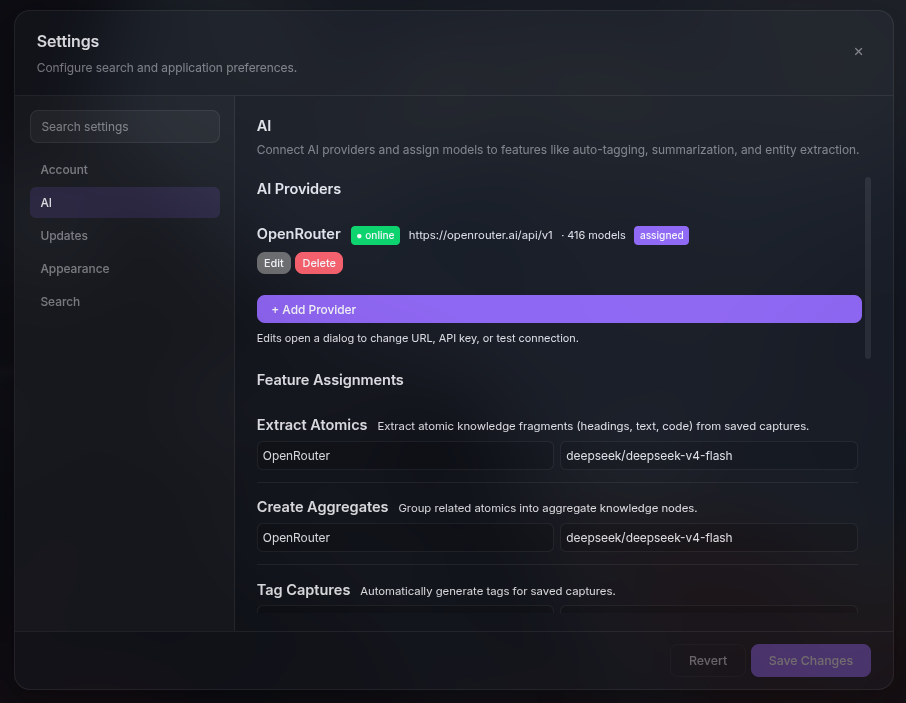
A local-first personal knowledge base and web research tool. Save web pages, highlights, notes, documents, and AI conversations. Find everything with semantic search so you never lose useful information across tabs, bookmarks, and scattered files.

Open your terminal, navigate to the directory where you want to install Nodecast, then run:

curl -fsSL https://github.com/sarox-dev/Nodecast/releases/latest/download/install.sh | bash

Docker and Git are required. The installer will check for both.

Stop losing useful information across tabs bookmarks notes AI chats

Save something useful in ChatGPT, but weeks later it's buried. You can't search it, can't find it.

Bookmarks store links, not context. You know you saved something, but not why it mattered.

Research scatters across tabs, docs, Reddit saves, AI outputs. Nothing connects, leaving you with fragments.

You re-research the same topics because your past work is impossible to retrieve when you need it.

Personal knowledge base with semantic search. Capture once, reuse forever.

A unified memory layer that captures, organizes, and helps you retrieve what matters from any source.

Save from anywhere

Capture web pages, highlights, notes, documents, and AI conversations from ChatGPT, Claude, and more, all into one personal knowledge base.

Auto-organize into knowledge

The extractor pipeline transforms raw content into structured Knowledge Objects. No manual tagging required. Just save, and it's organized automatically.

Semantic search across everything

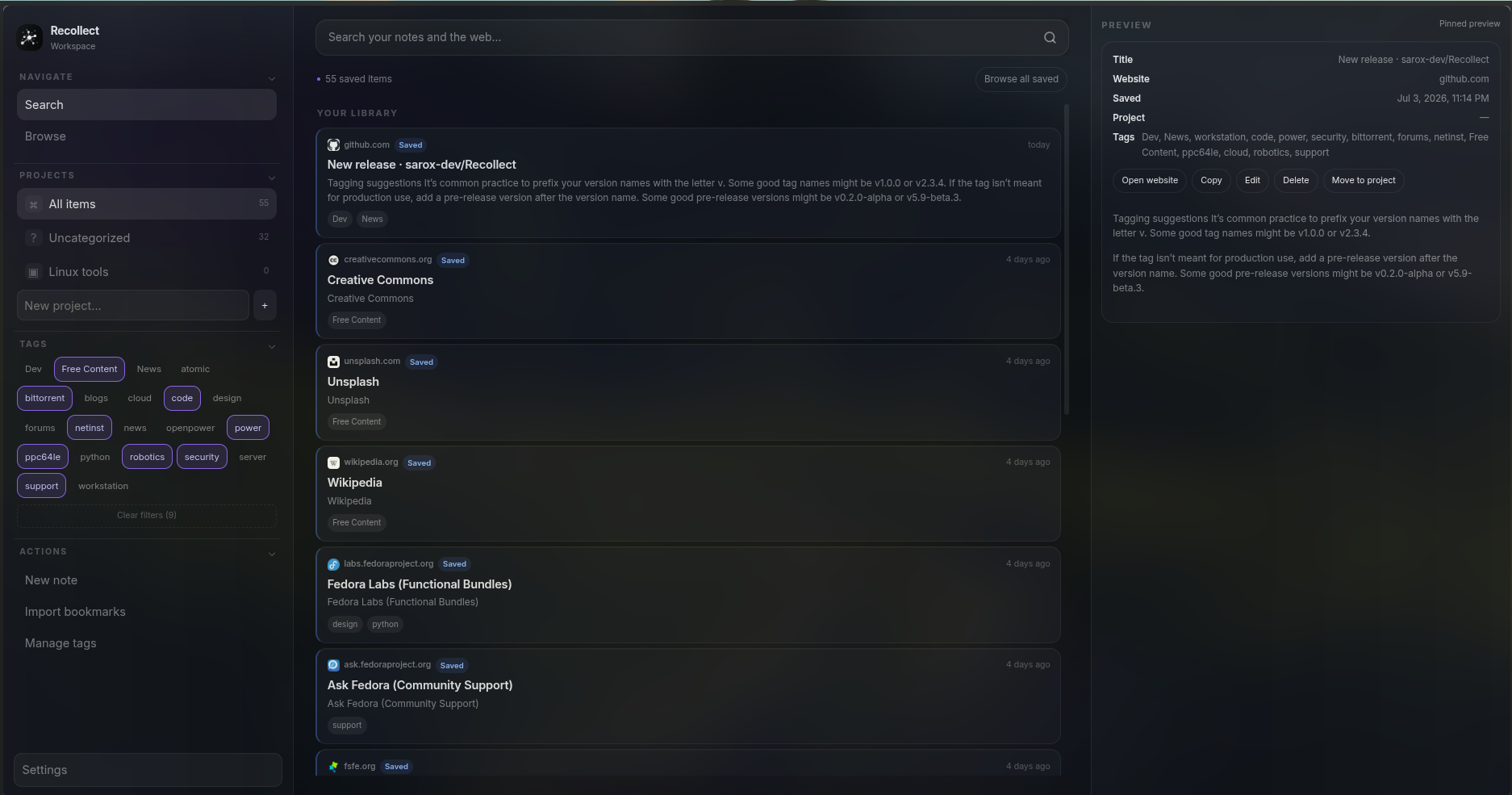
Search across web pages, notes, AI chats, and documents from one place. Find what you've already learned instead of starting over.

Reuse forever

Bring back research, code snippets, prompts, and decisions precisely when you need them. Search once, reuse forever.
Not a bookmark manager.
Not a notes app. A knowledge system.

Nodecast is built for knowledge reuse, not just storage. It saves context, not just links.

Browser bookmarks

Store links, not knowledge
No context or highlights
Disconnected from AI and chats
Better approach
R

Nodecast

Saves context, highlights, sources
Connects web, AI, notes, and documents
Built for retrieval and reuse

Traditional notes apps

Text-only, not multi-source
Manual entry for everything
Hard to retrieve later

Your knowledge stays yours. Private by design.

Local-first architecture. No cloud dependency. No tracking. Built for people who want real control over their data.

Local-first by design

Your data lives on your device first. Sync and backup are optional, never mandatory. You have full control over where your knowledge lives.

Privacy-first, not privacy-washing

No tracking, no selling data, no unnecessary cloud dependencies. Your knowledge stays yours, period.

You own the format

Data stored in open, standard formats including Markdown and JSON. Export anytime. Never locked into a proprietary silo. Obsidian-compatible directory structure.

Built for integration

REST API and planned MCP server for AI agent integration. Designed for developers who want to connect Nodecast to their own tools and workflows.

Frequently asked questions

Everything you need to know about Nodecast's personal knowledge base, browser extension, and local-first architecture.

What is Nodecast?
Nodecast is an open source, local-first personal knowledge base and web research tool. It saves web pages, highlighted text, notes, AI conversations, and documents into a single searchable memory layer. Nodecast runs locally on your own infrastructure. No cloud dependency, no data leaving your device.
What problem does Nodecast solve?
Digital knowledge is fragmented across browser tabs, bookmarks, AI chats, notes apps, and documents. Nodecast unifies these sources into one searchable local knowledge base, so you never lose useful information or re-research the same topic.
How is Nodecast different from bookmarks?
Bookmarks store links without context. Nodecast saves the actual content: highlighted text, page structure, and surrounding context. With semantic search, you can find saved knowledge by meaning, not just by URL or folder.
How is Nodecast different from traditional note-taking apps?
Traditional notes apps rely on manual entry for everything and are often text-only. Nodecast captures content automatically from multiple sources like web pages, AI chats, and documents, then structures it into reusable Knowledge Objects. It is built for retrieval and reuse, not just storage.
Is Nodecast open source?
Yes. The source code is available on GitHub at github.com/sarox-dev/Nodecast. The project uses open formats including Markdown and JSON, and is designed with a plugin ecosystem for community contributions.
Does Nodecast work offline?
Yes. Nodecast is designed to be offline-first. All data lives on your local device. No internet connection is required to save, search, or retrieve your knowledge.
Why is Nodecast local-first?
Local-first architecture means your data stays on your device by default. There is no mandatory cloud dependency. Sync and backup are optional. This gives you full ownership, privacy, and control over your knowledge.
Can Nodecast save web pages?
Yes. Via the browser extension, Nodecast can save entire web pages. When you save a page, the extension captures the full HTML content along with metadata like title, URL, and site name. The backend extractor pipeline processes it into structured Knowledge Objects for search and reuse.
Can Nodecast save highlighted text?
Yes. Select any text on a web page, then save it via right-click context menu or keyboard shortcut. Nodecast saves the highlighted text as an anchor with surrounding context (before and after text), and also saves the full page. The highlight becomes a pointer to what was important.
Can Nodecast organize research?
Yes. Every saved item, whether from web research, AI chats, or documents, is automatically extracted into structured Knowledge Objects (document, video, reddit post, code snippet, and more). These are stored in a searchable SQLite database. The knowledge graph automatically connects related items across different sources.
Can Nodecast save AI conversations?
Yes. Nodecast can save AI conversations from ChatGPT, Claude, and other AI platforms. These are captured, structured as Knowledge Objects, and stored in the same personal knowledge base alongside web pages, notes, and documents.
Who is Nodecast built for?
Developers, researchers, students, startup founders, privacy enthusiasts, the self-hosting community, and AI power users: anyone who regularly accumulates digital knowledge and needs to find and reuse it later.
Does Nodecast support Markdown?
Yes. Knowledge stored in Nodecast can be rendered as Markdown. The Markdown renderer converts structured Knowledge Objects including document blocks, videos, code snippets, and tables into readable Markdown files. Nodecast is also compatible with Obsidian, allowing the same knowledge to be accessed from both tools without duplication.
Which operating systems are supported?
Nodecast runs on Linux, macOS, and Windows via Docker. The installer supports both Unix (curl/bash) and Windows (PowerShell) installation methods. Docker and Git are required.
Which browsers are supported?
The Nodecast browser extension supports Chromium-based browsers. It uses Manifest V3 and provides context menu integration (right-click to save), keyboard shortcuts, and a popup interface for saving web content to your local knowledge base.
Why use Nodecast instead of browser bookmarks?
Bookmarks store links, not knowledge. They lack context, highlights, and the ability to search across content. Nodecast saves actual content with surrounding context, enables semantic search across everything you have saved, and automatically connects related knowledge from different sources.
How does semantic search work?
Semantic search in Nodecast works across structured Knowledge Objects stored in SQLite. The system indexes titles, content, URLs, and metadata so you can search everything from one place. Future phases will add vector embeddings and AI enrichment for meaning-based retrieval, not just keyword matching.
What is a Memory Layer?
A Memory Layer is a unified knowledge system that sits between you, your information sources, and AI systems. It captures, organizes, and makes knowledge permanently available regardless of where it came from: web pages, AI conversations, documents, or notes. Nodecast's vision is to be the universal memory layer for humans and AI.
Is my data private?
Yes. Nodecast is privacy-first. All data stays on your local device. There is no tracking, no data selling, no mandatory cloud dependencies. Sync and backup are optional features, not requirements. Your knowledge stays yours.
Can developers extend Nodecast?
Yes. Nodecast is designed for extensibility. It exposes a REST API for integration, supports custom YAML-based extractors that require no Python code, and has a plugin ecosystem (Marketplace) planned for future releases. Developers can add support for new websites through configuration files, build custom renderers and capture layouts, and integrate Nodecast with AI agents via its API and planned MCP server.

See Nodecast in action

Watch how the local-first web clipper saves pages, highlights, and AI conversations into a searchable knowledge base.

Demo video coming soon

A walkthrough of saving and searching with Nodecast will appear here once ready.

Stay updated

Get project updates, release announcements, and early access to new features.

Email updates

Community

Ask questions, share ideas, and follow development on Discord.

Join Discord